Tired of hunting for the same file?
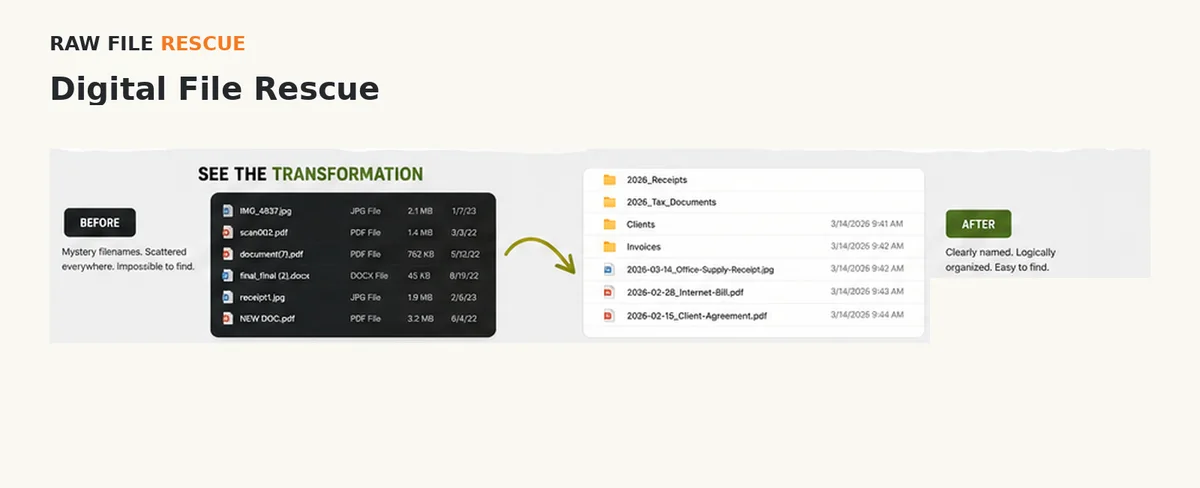
Digital File RescueRaw File Rescue can sort through the backlog and leave you with a system that makes sense, so you know where to look next time.
View demonstration →When files, paper, or AI chats start slowing you down, Raw File Rescue clears the backlog, resolves uncertain records with you, and creates organized, consistent information you can find, understand, and use.
Raw File Rescue is a new service built on years of hands-on office, administrative, organizational, and records-related experience.
Our limited-time pilot: Raw File Rescue is currently accepting a limited number of qualified pilot customers, with an initial goal of completing and measuring 5 paid pilot projects. Before paid work begins, you’ll see what I’ll do, what you’ll receive, the expected cost, and the safeguards that apply. You stay in control of access and deletion decisions.
Know where to look and get to important information faster.
Spend less time hunting through backlogs and more time using what you already have.
Nothing is intentionally deleted without your review.
The solution depends on what your backlog actually needs.
Customer work is performed by Chris Guittard, owner/operator, drawing on more than 20 years of professional and personal experience organizing files, records, documents, and information.
Tell me what's getting in your way. You do not have to diagnose the service yourself — the solution comes second.
Raw File Rescue can sort through the backlog and leave you with a system that makes sense, so you know where to look next time.
View demonstration →Invoices, receipts, statements, and project files can be brought into a practical system that's easier to use and maintain. Business cleanup is one use of Digital File Rescue, not a separate fixed package.
View demonstration →Already-sorted paper can be scanned, OCR'd where appropriate, named, and organized on site while the originals stay with you. During the pilot, each on-site paper visit is capped at one file box or two bags.
View demonstration →For an unsorted paper backlog, we agree on a physical structure first; then I sort, scan, organize the digital archive, and restore the originals to the agreed arrangement before I leave.
View demonstration →Bring related paper and digital material together into one understandable information structure instead of keeping separate piles that do not connect. Any paper component stays on site.
View demonstration →Turn customer-selected information buried across files and documents into a usable table, spreadsheet, inventory, list, or structured record, with human quality control.
See information pulled into a usable spreadsheet →Turn the conversation into a standalone working document that preserves useful decisions, structure, chronology, and context without requiring you to reread the original chat.
Consolidate related sources into one organized project record, reconcile changed decisions, preserve genuine conflicts for review, and reduce repetition.
View demonstration →Turn an overloaded bookmark collection into a manageable set of links you can actually find and use.
For remote projects, you send an exported bookmark file — no browser password or account access needed. Anything that looks outdated, duplicated, or broken is flagged for your review rather than deleted automatically.
See the cleanup approach →That's a different service. Raw File Rescue organizes material you can already access; Raw File Rescue does not provide forensic recovery, failed-drive recovery, or hardware repair.
Automation works best with consistent, clearly organized information.
Raw File Rescue can clean and structure an existing paper or digital backlog so your current software—or tools you adopt later—has better material to work with. This may include consistent folders and names, standardized dates or fields, appropriate OCR, duplicate and version review, a customer decision queue, and documented organization rules.
Organized, consistent information; documented rules; unresolved items clearly flagged; and a result you review before closeout.
Software choices, deletion decisions, uncertain records, and final verification remain with you.
Software selection, custom integrations, automated workflow programming, and guaranteed third-party compatibility are not included.
Show me what's scattered, difficult to find, or taking too much time.
I review the material, ask questions, and spell out what I’ll do, what you’ll receive, and what it should cost.
I do the work we agreed on and check with you before making a meaningful change or going over the approved maximum.
You get the result in a form you can actually use - and know where it lives.
Potential deletions are reviewed before permanent removal.
Temporary copies I make while working are ordinarily deleted seven calendar days after final delivery. If you report a correction, discrepancy, or dispute that requires those working files before scheduled deletion, deletion of the relevant material is paused while it is reviewed.
Before I change files you control, I confirm with you that a backup or recoverable starting copy exists.
Paper scanning is done on site. You keep control of your originals.
Appropriate professional liability (E&O) coverage will be in place before paid customer work begins. Proof of coverage will be available before work starts.
Clear pricing. No surprises. You stay in control from start to finish.
No charge before you approve the written plan and paid work begins.
$30/hour for approved paid work, billed in 15-minute increments.
The consultation, risk review, and written plan are complimentary.
Paid time is recorded through Clockify; an itemized time report is available on request.
Before any paid work starts, you receive a written plan that includes:
I stop for written approval before going over the maximum.
Your written plan includes an expected total and a maximum project cost covering paid work, customer-specific travel time, approved travel expenses, and approved outside costs.
Your written plan shows the 80% point when I’ll advise you that you’re approaching the project maximum. When labor is the main cost, I’ll also show the approximate number of hours.
Example: $300 maximum → 80% point is $240, or about 8 hours of labor.
Additional written approval is required for:
I stop for written approval before going over the maximum.
A $22/hour employee costs an employer at least about $23.68/hour after employer Social Security and Medicare taxes alone. Using the average private-industry wage share reported by the U.S. Bureau of Labor Statistics gives an illustrative total-compensation cost of about $31.50/hour.
That estimate is not including recruiting, equipment, training, supervision, and other business costs.
Sources: Internal Revenue Service payroll-tax tutorial and U.S. Bureau of Labor Statistics, Employer Costs for Employee Compensation.
Before paid work begins, we document what I’ll do, what you’ll receive, what it should cost, and how your material will be handled.
Before paid work starts: the initial inquiry, fit check, discussion, consultation, and preparation of the written plan are complimentary.
If you cancel before paid work starts: prepaid labor is refunded in full. Outside expenses you already approved and that were already incurred may not be refundable.
If you cancel after paid work starts: you pay for work already completed and approved expenses already incurred. Any unused prepaid labor is refunded.
Paid work starts only after you approve the written plan and I begin the work described in it. Read the complete policy (PDF).
Raw File Rescue collects only the information reasonably needed to evaluate and complete the agreed project. Customer material is not sold or used for unrelated purposes.
Temporary copies I make while working are ordinarily deleted seven calendar days after final delivery. A timely correction, discrepancy, or dispute that requires those working files pauses deletion of the relevant material while it is reviewed.
Using an outside AI service with your material is optional and requires your express permission. For bookmark cleanup, you send an exported bookmark file; I do not ask for your browser password or account access.
If you share a cloud folder with Raw File Rescue, access is limited to what you approved. When the job is finished, I remove my access where possible and confirm with you that any sharing you control has been turned off. I record that closeout.
Potential deletion decisions remain subject to Review Before Delete. Read the complete policy (PDF).
I keep written records of what we agreed to, what work was done, what was delivered, and how the job was closed out. When relevant, that includes confirming shared cloud access was closed and temporary working copies were deleted.
I ask for extra permission before using an outside AI service, a remote-access tool, making decisions about possible duplicate versions, or taking another step that creates a meaningful new risk.
If your files are connected to active or reasonably anticipated litigation or a legal dispute, I treat them as elevated-risk. I do not submit that material to external AI without appropriate authorization, and Raw File Rescue does not provide legal strategy or legal advice.
DIY FILE RESCUE
Search your Drive for “Untitled.” Open each file, decide whether it's worth keeping, and rename it based on what it actually contains. It's a simple cleanup that can make important files much easier to find.
That's where Raw File Rescue comes in. I can take the repetitive cleanup off your plate and leave you with a system you can understand and keep using.
Want to tackle it yourself? See these cloud-cleanup how-to guides from the Fashion Institute of Technology.
Stop living with names like Untitled, IMG_4832, or Final_Final_2. Give files names that tell you what they contain.
Look for copies, numbered files, and suspiciously similar versions that may be taking up space or causing confusion.
Check the file name, size, date, and contents before removing anything. Raw File Rescue follows the same principle: Review Before Delete.
When your platform supports it, use version history instead of creating Draft1, Draft2, Final, and Final2.
If one file belongs in two places, a shortcut can be better than maintaining copies that may drift apart.
FILE HORROR STORIES
These real-world examples show why clear filenames, deliberate saving, and sensible version control matter.
Two unnamed Word documents had remained open and unsaved for weeks. After the Mac restarted, the work disappeared and there were no meaningful filenames to search for.
Name it. Save it. Know where it lives.
Older OneDrive versions replaced newer work that had been edited offline, leaving the owner unsure which copy contained the latest changes.
Know which copy is current and use a sane versioning system.
A document was duplicated, edited, and then swapped back into the master-file workflow. Ambiguous filenames and manual replacement made the finished edits difficult to recover.
Avoid unclear manual swaps; use consistent names and version history.
A OneDrive and WhatsApp sharing workflow stripped away useful filenames, leaving a collection of documents that no longer clearly identified themselves.
Filenames carry information. Preserve them when files move between platforms.
You can do all of this yourself.
If you know something needs fixing but don't want to spend hours sorting it out, see how the process works.
See How It Works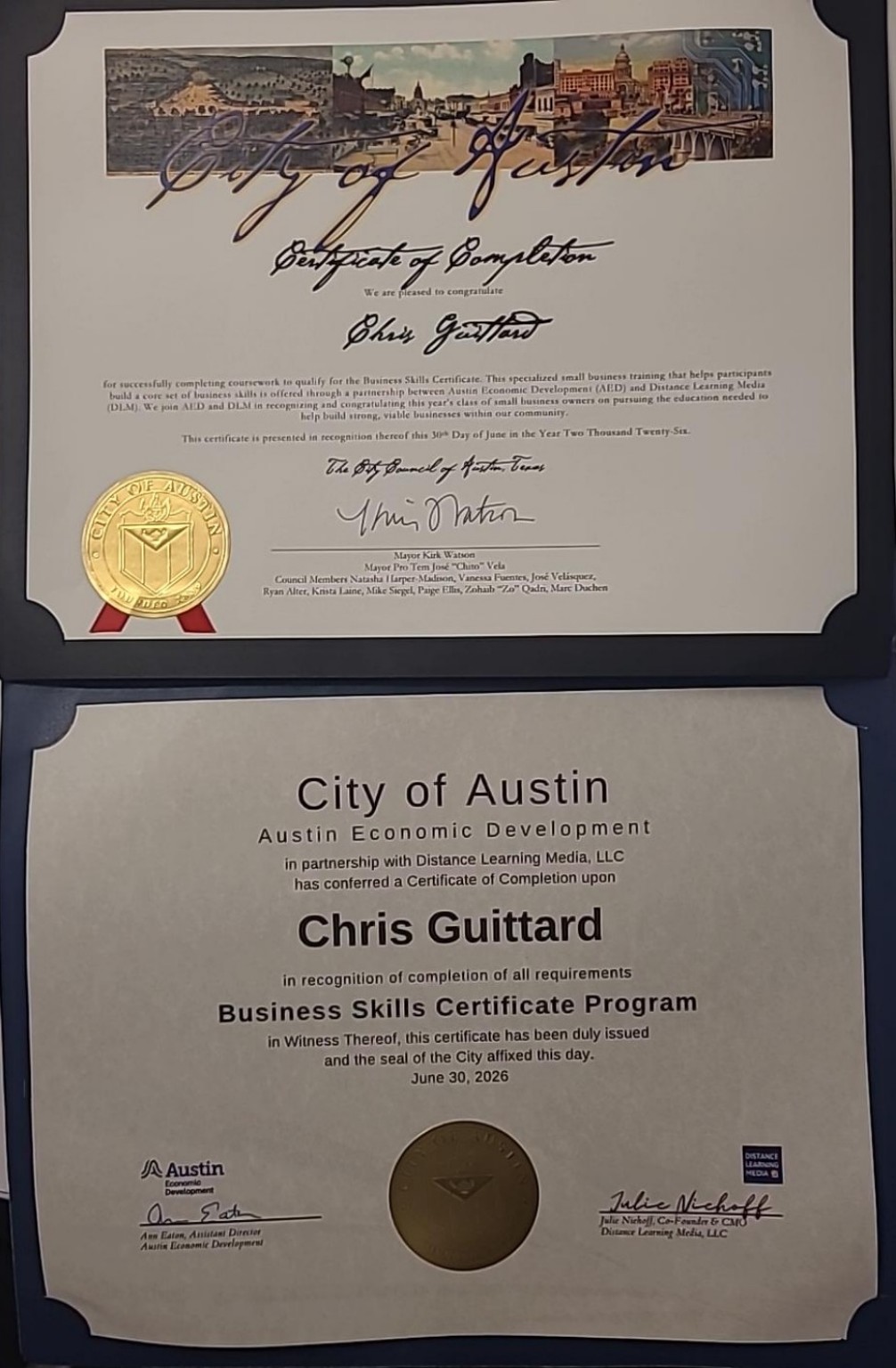
Raw File Rescue is being developed in Austin, Texas, with a measured pilot focused on practical service, clear safeguards, and documented results. Click the badge to view our Austin Economic Development Business Skills Certificate.
That's fine. Tell me what's giving you trouble, and I'll help figure out a practical way to tackle it. You'll see the written plan and estimate before any paid work begins.